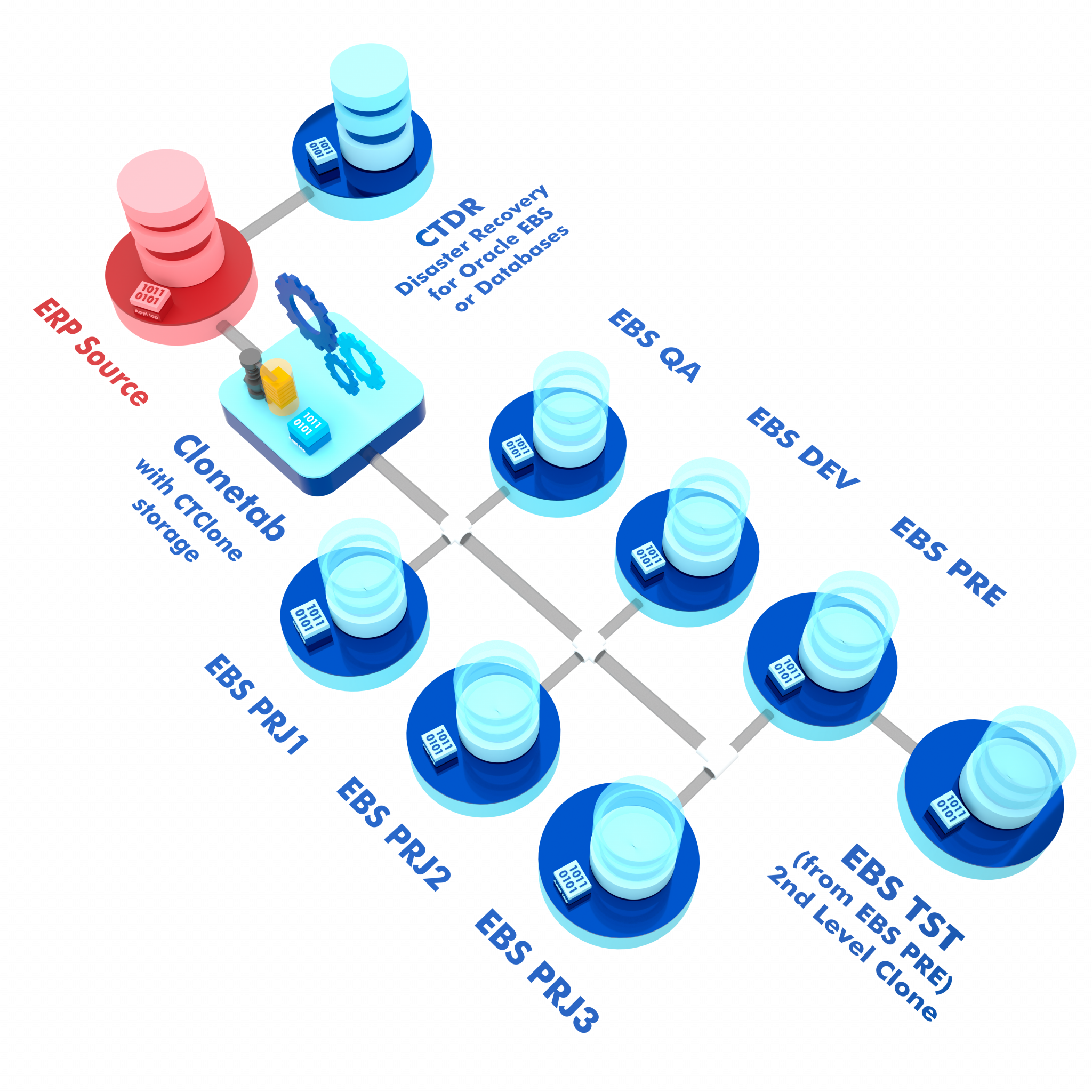
Transform your ERP landscape with CTClone virtualization technology. Provision multi-terabyte environments in hours, reduce storage costs by 80%, and create instant copies of both database and application tiers.
CTClone leverages cutting-edge virtualization technology to create instant copies of both database and application tiers, dramatically reducing clone times from days or weeks to just hours.
By virtualizing ERP environments including Oracle E-Business Suite, PeopleSoft, and SAP, organizations can release approximately 80% of their storage footprint while maintaining full functionality across development, testing, and training environments.
"Provision multi-terabyte ERPs in ~1.5 hours with 80% storage reduction"
CTClone virtualization delivers unprecedented speed, efficiency, and cost savings for enterprise ERP environments.
Provision multi-terabyte ERP environments in approximately 1.5 hours instead of days or weeks. Create instant copies of complete database and application tiers with a single click.
Release approximately 80% of storage by virtualizing both database and application layers of ERPs like Oracle EBS, PeopleSoft, and SAP. Dramatically reduce storage CAPEX costs.
Create instant application and database backups with point-in-time recovery capabilities. Maintain production data snapshots for backdated clones and rapid disaster recovery.
Virtualize both database and application tiers for complete ERP environments including Oracle EBS, PeopleSoft, and SAP systems.
Reduce storage CAPEX costs dramatically and save significant man-hours previously spent on manual cloning and post-clone steps.
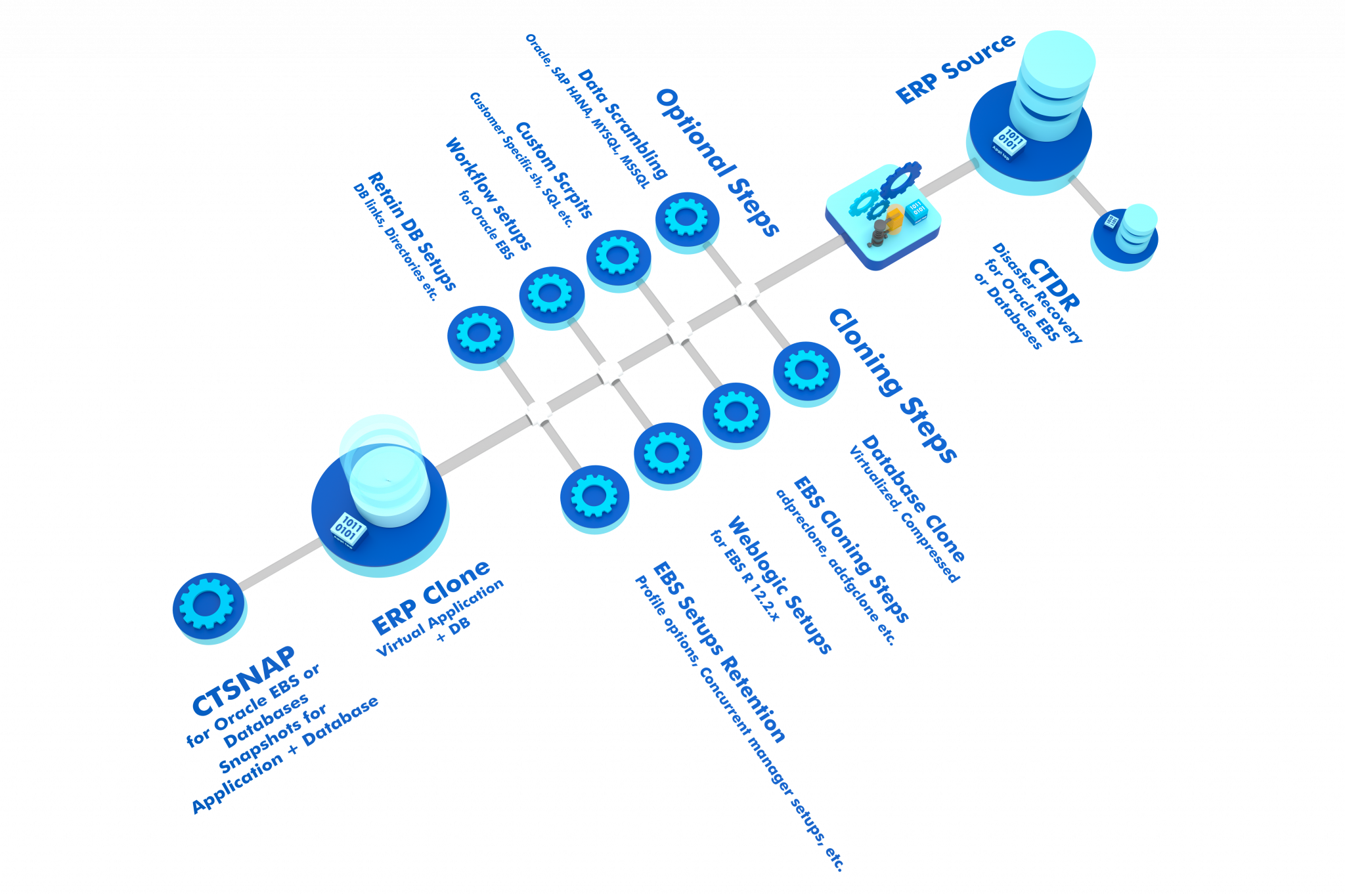
Includes data scrambling, post-clone steps, and SQL self-service capabilities all integrated into the cloning workflow.
Maintain multiple days of production data on disk for backdated clones and point-in-time recovery scenarios.
CTClone virtualization excels in scenarios requiring rapid provisioning and efficient storage utilization.
Rapidly provision multiple development and testing environments without consuming massive storage resources.
Create realistic training environments with production-like data without the storage overhead or security concerns.
Maintain point-in-time backups and enable rapid disaster recovery with instant restores to any historical point.
Test migration strategies and upgrades on virtualized copies without impacting production systems or consuming additional storage.
See how a global consulting leader transformed their ERP operations with CTClone virtualization.
Industry
Global Management Consulting
Environment
Oracle e-Business Suite, Oracle Databases on AIX, RAC, ASM, multi-node configuration
Initial Situation
Clone time: 2 weeks per environment
Storage footprint: 145TB
Manual post-clone steps required
Time Reduction
From 2 weeks to 4 hours
Storage Savings
From 145TB to 25TB
Automation
Including data scrambling
Comprehensive virtualization support for major ERP platforms:
Built-in data protection and compliance features:
Works seamlessly with enterprise infrastructure:
Empower teams with controlled self-service:
CTClone leverages advanced virtualization technology to create thin clones that share storage blocks with the source.
Select your source production environment or any existing backup/snapshot as the baseline for virtualization.
CTClone creates a virtual copy that references the source data blocks, consuming minimal additional storage (typically 5-10%).
The virtual clone is immediately available for use. Post-clone steps, data scrambling, and configurations are applied automatically.
Virtual clones only store changed data blocks, dramatically reducing storage consumption while maintaining full functionality.
| Aspect | Traditional Cloning | CTClone Virtualization |
|---|---|---|
| Clone Time | Days to weeks | ~1.5 hours |
| Storage Consumption | 100% per clone | 5-10% per clone |
| Manual Effort | High - extensive manual steps | Minimal - fully automated |
| Post-Clone Tasks | Manual execution required | Automated with workflows |
| Data Scrambling | Separate process | Integrated and automated |
| Backup & Recovery | Time-consuming restores | Instant point-in-time recovery |
| Cost | High storage & labor costs | 80% cost reduction |
Organizations using CTClone virtualization typically see:
Storage Cost Savings
Time Reduction
Automation Level
Transform your database operations with CTClone virtualization. Reduce storage costs by 80%, provision in hours, and automate the entire cloning lifecycle.