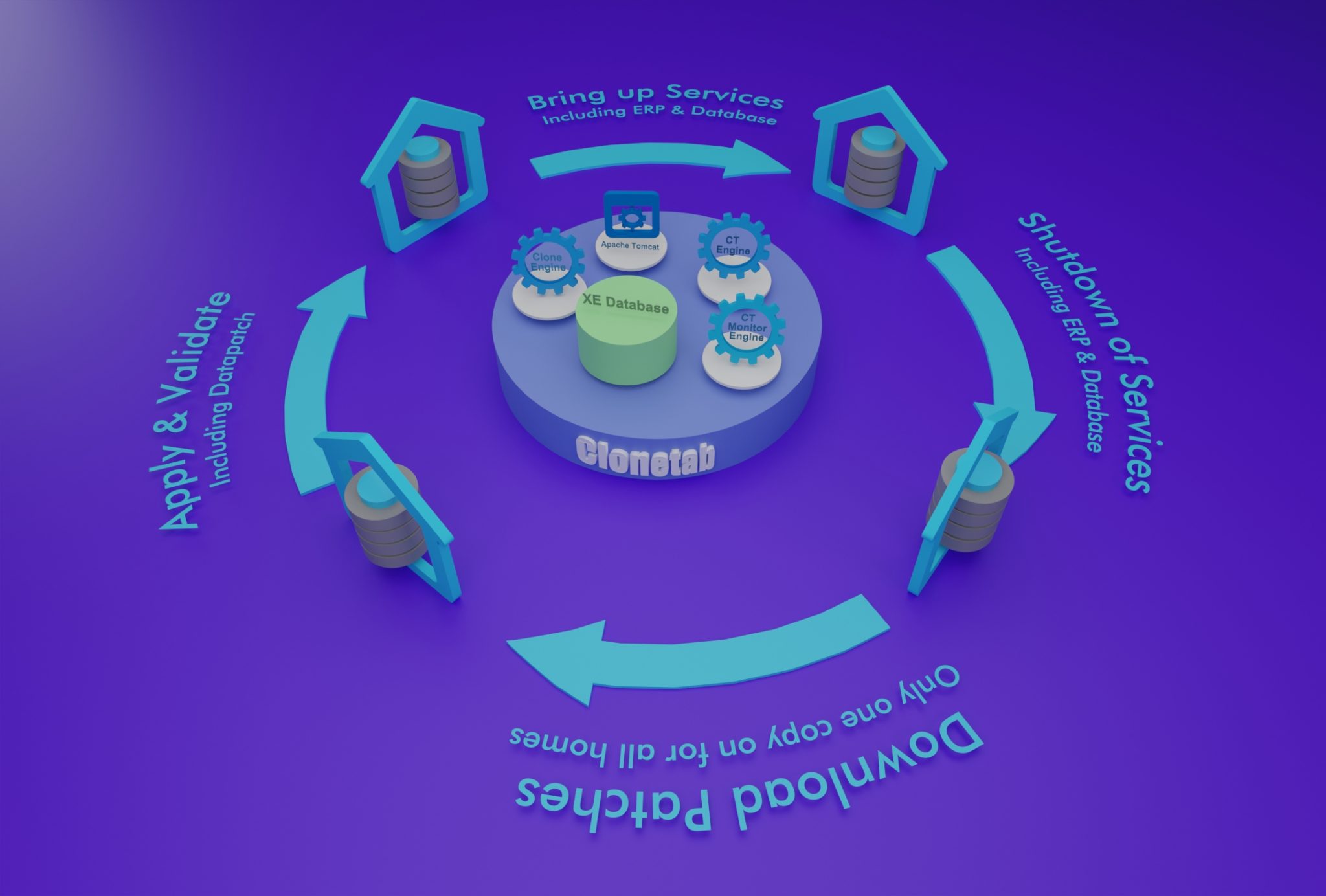
Fast, reliable, and compliant automated patching for Oracle Database Homes and EBS environments. Streamline your quarterly security updates with minimal downtime and maximum efficiency.
In today's fast-paced business environment, maintaining efficient and secure enterprise database systems is critical. Whether you're managing a single instance or a large fleet of Oracle databases, regular patching ensures optimal performance, security, and compliance.
Clonetab's CT-Patch revolutionizes quarterly patching efforts with an automated, risk-managed solution that handles Oracle Database Home patches and Oracle EBS environments seamlessly.
Apply multiple patches in one round with automated pre/post steps and custom script support
End-to-end automation with built-in validations, rollback protection, and flexible deployment options for Oracle DB and EBS environments.
One-click patching for Oracle EBS and DB Homes—fast, reliable, and compliant with minimal manual intervention.
Complete automation that handles shutdown, OPatch updates, datapatch execution, service restarts, and all validations.
Secure quarterly patching with minimal downtime, ideal for compliance with Oracle CPU releases and security updates.
Custom script support to add pre/post validations at any point, tailored to your enterprise workflows and requirements.
Built-in rollback protection and step-wise validations ensure consistent, safe patching across all instances.
Deployable on-premises or cloud across Oracle DB and EBS, covering full-stack updates with ease.

Our streamlined process ensures a seamless patching experience with automated steps and comprehensive validations at every stage.
Safely shut down services based on instance type (Oracle database or e-Business Suite, PeopleSoft), ensuring no disruptions during the patching process.
Automatically update the OPatch version if requested, guaranteeing compatibility with new patches and ensuring smooth execution.
Run OPatch for all patches effortlessly, reducing the complexity often associated with manual patching. Apply multiple patches in one round.
Perform the DataPatch procedure to ensure that all necessary database changes are applied and validated correctly.
Restart the database and application services with confidence, knowing that all validation steps have been adhered to throughout the process.
Execute any custom scripts added by the customer. This step can be configured to run at any point based on customer requirements and workflows.
Flexible Patch Download Options
The tool can automatically download required patches from Oracle Support (optional), or customers can download and place patches in a common folder accessible to all hosts where patching is needed.
Automating the patching process minimizes manual effort in maintaining Oracle databases. Quickly automate tasks like bringing down services, updating OPatch, executing DataPatch, and restarting databases with minimal team input.
Automated process includes thorough validations at every stage, ensuring correct and reliable execution. Reduces human error that can lead to downtime or failed updates, ensuring patches are applied consistently.
Regularly applying the latest patches is crucial for securing databases against vulnerabilities. Our automation ensures databases are updated promptly and consistently, safeguarding sensitive information and meeting compliance requirements.
Every business is unique. Our solution allows you to add custom scripts at any point in the patching process, providing flexibility to adapt to your organization's distinctive protocols and preferences.
Free up valuable IT resources by automating patching efforts, allowing staff to focus on strategic initiatives rather than routine maintenance. Reduction in downtime and speedy patch deployment enhance overall productivity.
Our solution provides comprehensive reports and monitoring features. Easily track progress, identify bottlenecks, and make informed decisions about database management with detailed insights.
Automate your quarterly patching efforts with CT-Patch. Minimize risks, enhance productivity, and ensure your Oracle environments are always running smoothly and securely.